
Page Options v3.0
General Options
Page Layout Style
Choose the page typography style:
- Default style
- GitHub style
Decorative Image
The featured image will display on post pages, standalone pages, and category pages.
Page Title Animation
Enable a fade-in animation for the page title.
Title Animation Duration
Drag the slider to set the animation length (recommended: 1–2 seconds).
Add Attribution When Copying
When enabled, copying over 30 bytes of text appends a citation, e.g.:
ref(APA): Michael Novotny.Fuukei.http://docs.fuukei.org. Retrieved 2024/11/15.
Page LazyLoad
Enable LazyLoad for images on pages.
Warning: The block editor already uses LazyLoad; enabling here may conflict with plugins like EWWW Image Optimizer.
Placeholder SVG for page LazyLoad: enter the SVG URL.
Placeholder SVG for image LazyLoad: enter the SVG URL.
Post Page Options
Post Title Font Size
Drag the slider to adjust title size (recommended: 28–36 px).
Underline Animation for Title
When enabled and a featured image is set, adds a left-to-right underline effect under the title.
Display Elements
Select which metadata to show under the post title. Drag to reorder.
Auto-Show TOC
Enabled by default: displays a table of contents on wide viewports.
Inline Code Background Color
Set the background color for inline code in light/dark mode. (Code block backgrounds come from your syntax highlighter options.)
Post Extension Area
Post Utility Bar
Disable to hide the bar of icons over images.
Icons left-to-right: CC license, author avatar, name, bio, last update, tags. Each has its own toggle in Post Page Options.
“Reward” Feature
- Icon Link: URL users go to when clicking the reward icon.
- Pop-up Content: images and links shown on hover; clicking an image follows its link.
Show Author & Meta
Toggle display of avatar, name, signature, last update, etc.
Prev/Next Post Navigation
When enabled, adds next/previous post links below the utility bar.
Template Page Options
Common
Template Title Font Size
Set font size for titles on template pages (e.g. Timeline).
“Anime Tracking” Template
Source
Supported: Bilibili, MyAnimeList, Bangumi.
MyAnimeList
- Username: the name in your profile URL (
…/profile/xxx).
Bilibili
- UID: your Bilibili user ID.
- Cookies: copy from DevTools “Network” request headers. Guide
Enter the cookie string underPage Options → Post Page Options → Bilibili Template Cookies.
WARNING
Leaving out cookies for Bilibili may cause errors.
Bangumi
Enter your Bangumi user ID (found in your profile URL).
Cached or Manual Responses
If your server is slow, enable this and paste saved API responses into the box, or let the page fetch and store them. Note: Bilibili pagination is limited; Steam library works similarly.
Friends Link Template
After enabling, add links in Dashboard → Links.
Item Alignment



Show Application Form
Enable a “Apply for Link” button next to the page title.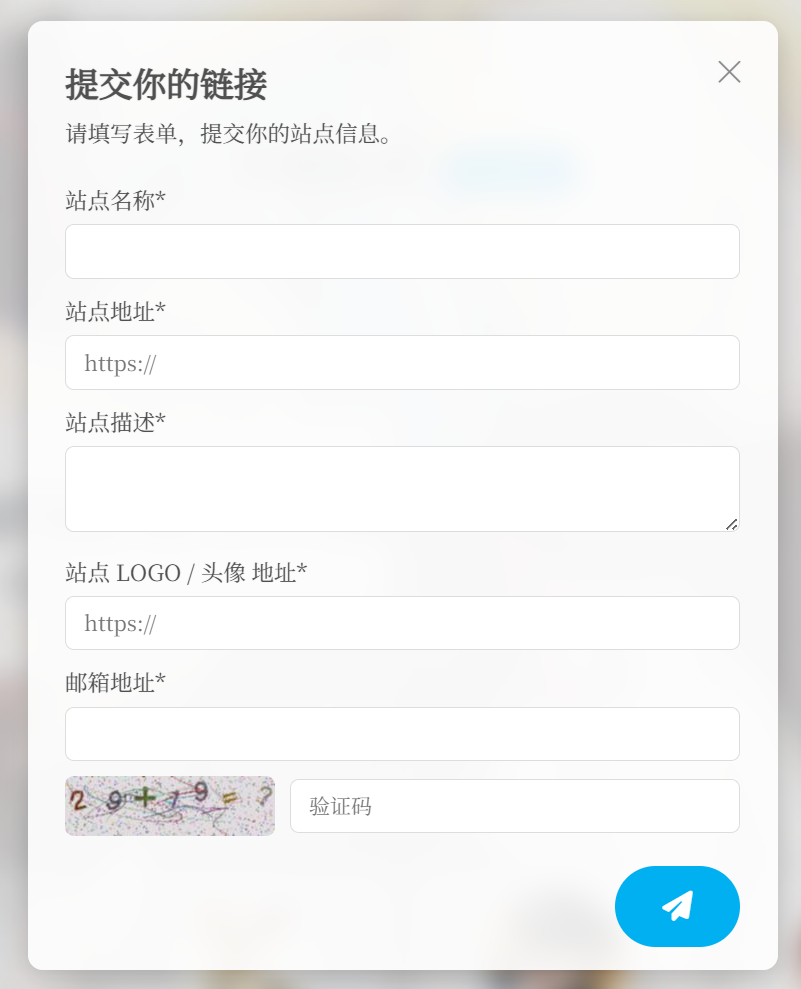
Sorting Mode
- Name: alphabetical
- Rating: by star rating
- Updated: by last update time
- Rand: random each cache refresh (exclude template page from caching for true randomness)
Ascending/Descending
Choose sort order.
WARNING
Add friend links under Links in the dashboard.
Steam Library Template
See Steam Library Template Guide.
Comment Options
Pagination & Nesting
Configure comment pagination and nesting under Dashboard → Options → Discussion.
Comment Area Toggle
Choose default state: expanded or collapsed.
Placeholder Text
Custom text shown inside the comment field until typed.
Submit Button Text
Customize the comment button label.
Comment Background Image
URL for the background image behind the comment area.
Comment Features
Emoticons
Enable specific emoji sets in comments.
Custom Emoticon Pack
- Name: your pack name.
- Path: upload your files, then click “here” to refresh the list.
- Windows example:
../.././uploads/2024/10loads fromwp-content\uploads\2024\10. - Linux example:
/2024/10loads from/wp-content/uploads/2024/10.
Adjust paths as needed; save to apply.
- Windows example:
Emoticon CDN Proxy
Enter a CDN base URL to rewrite emoticon URLs. Leave empty to disable.
Show Commenter UA
Display browser and OS (desktop shows icon + text; mobile icon only).
Commenter Geolocation
Enable IP-to-location in comments.
- Municipalities show “China Shanghai Shanghai.”
- Outside mainland may include English.
- “Reserved Address” = private IP (requires proxy).
- “Empty Address” = no IP captured (WP limitation).
- “Unknown” = lookup failed or rate-limited.
Admin Geolocation
Show commenter location in dashboard comment list.
Persist Location Data
Store geolocation in comment metadata for faster loads.
- On: save once and reuse.
- Off: each view calls API.
Deleting comments also removes stored data.
Geolocation API
IP-API
Uses ip-api.com (free for non-commercial, 45 rpm limit).
Enable “Persist Location” to reduce requests. Supports multiple languages based on WP locale. Supported languages.
Private Comments
Allow commenters to mark their comment visible only to the site owner.
Comment CAPTCHA
Require “I am not a robot” checkbox for comments.
QQ Avatar Encryption
Options for redirect, server-side fetch, or parsing.
Image Upload in Comments
Supported: Imgur, SM.MS, Chevereto (self-hosted), Lsky Pro (self-hosted).
- Enter Imgur Client ID, SM.MS Token, Chevereto Key, Lsky Pro Token as needed.
Comment Image Proxy
Deprecated.
Comment Email Notifications
User Reply Notification
Allow users to opt in/out of email alerts for replies to their comments.
Admin Reply Notification
Email admins when their comments get replies.