
Other Options v3.0
Login Screen & Dashboard
⭐ Login Page
Custom Login Page
When enabled, applies the theme’s custom login design.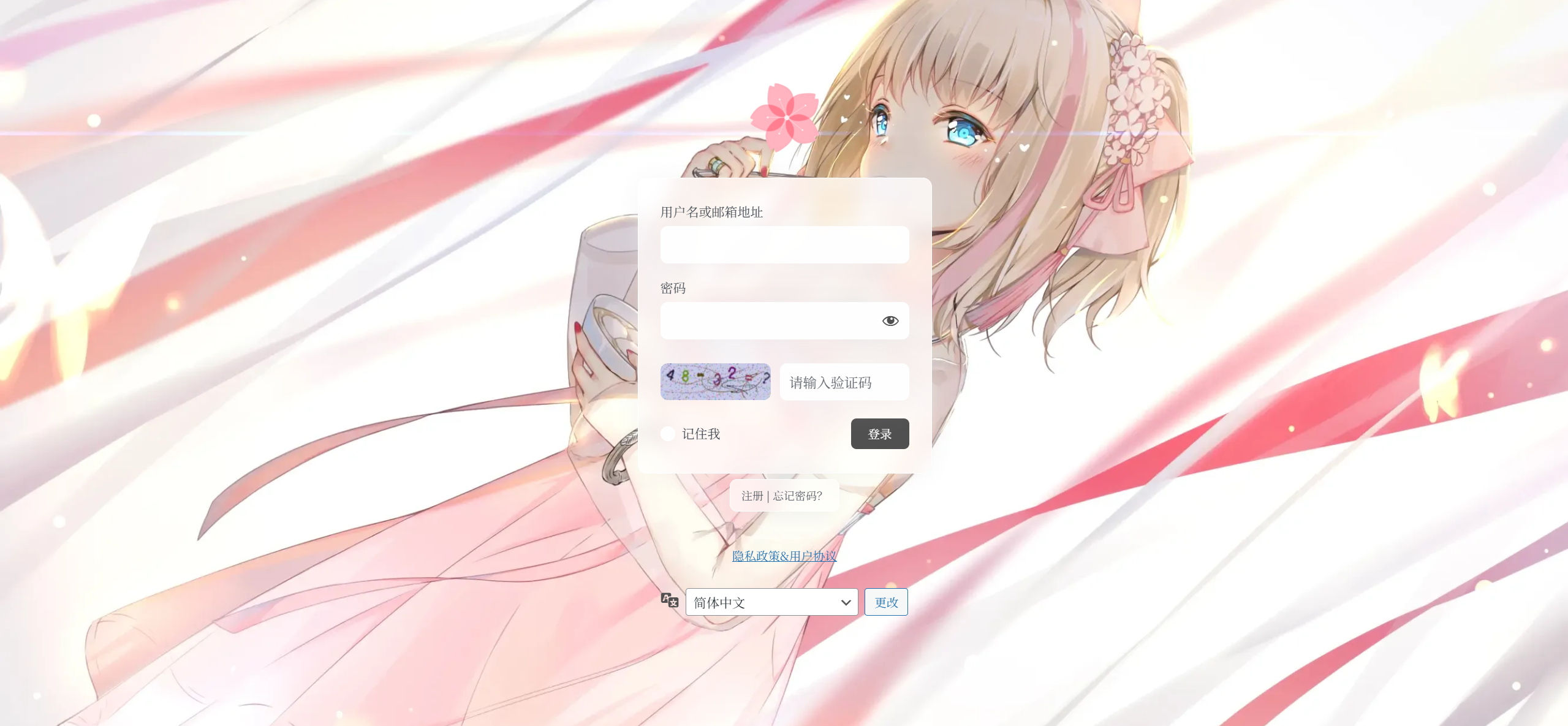
Login Logo
Enter the URL for the logo image displayed above the login form.
Redirect After Login
Toggle post-login redirects.
When enabled, administrators go to the dashboard and regular users go to the homepage.
Language Selector
When enabled, shows a language switcher below the login form.
⭐ Dashboard
Dashboard Background Image
Enter a URL for your dashboard background; leave empty for a white background.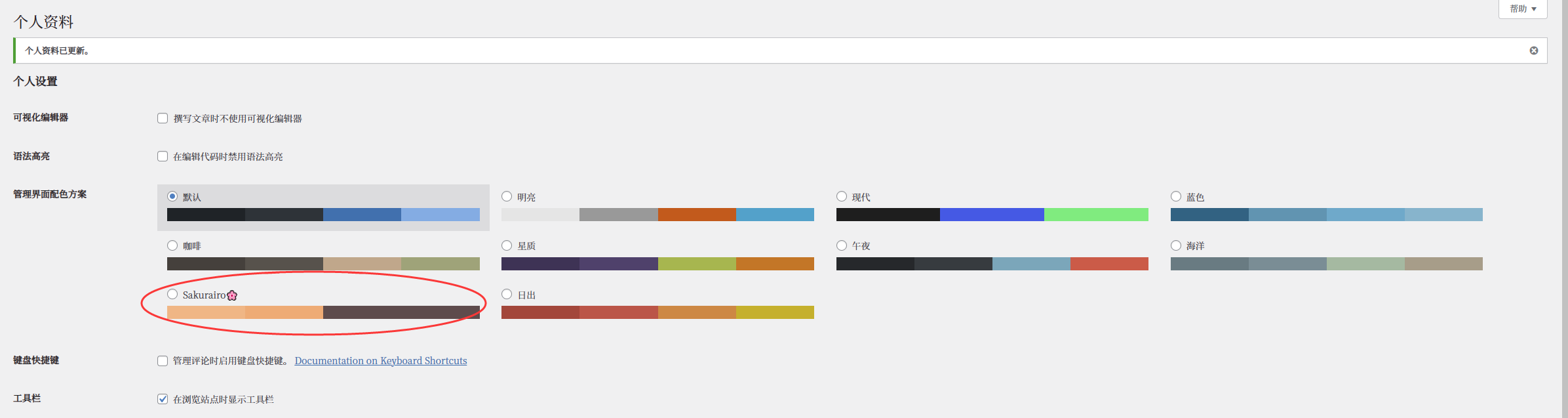
⚠️ Note: In your WP user profile, select the “Sakurairo🌸” admin color scheme for this to take effect.
Dashboard Menu Style


Primary Menu Color
Set the color of the top-level dashboard menu.
Secondary Menu Color
Set the color of submenu items.
Accent Color
Set the dashboard accent/highlight color.
Button Color
Set the default button color in the dashboard.
Text Color
Set the text color used in the dashboard.
⚠️ Note: These color options only apply when the “Sakurairo🌸” admin scheme is active.
ChatGPT Options
⚠️ Warning: Do not enable this unless you understand how it works. No support is provided for misconfiguration.
API Endpoint
Enter the ChatGPT API URL. Default:
https://api.openai.com/v1/chat/completions
⚠️ Ensure any custom endpoint is reachable from your server.
TIP
Examples (from known issues solutions):
deepseek: https://api.deepseek.com/chat/completions
tencent cloud: https://api.lkeap.cloud.tencent.com/v1
google gemini: https://generativelanguage.googleapis.com/v1beta/openai/chat/completions/
CAUTION
Before using related features, you need to ensure that: Your server's network environment can access the relevant services PHP has the curl and openssl modules installed
Otherwise, the related features will not function properly
The API endpoints used should be compatible with OpenAI's request format
API Key
Enter your OpenAI API key. Obtain it from your OpenAI account.
Token Limit
Set the maximum tokens per request for summaries and annotations based on your plan.
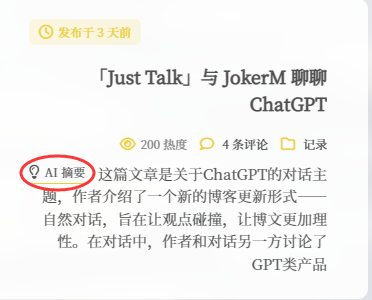
Auto-Generate Summaries
When enabled, ChatGPT will create a summary for each post.
Every update triggers a summary request. If your post exceeds the token limit, only the initial portion is sent.
Summary System Prompt
Enter the “system” prompt for summary generation. Edit only if you know what you’re doing.
⚠️ Missing the circled part will cause summaries to appear in English.

Annotation System Prompt
Enter the “system” prompt for article annotations. Edit only if you know what you’re doing.
Low-Usage Options
Statistics Source
Choose between the built-in counter or the WP-Statistics plugin.
- Built-in: counts each page view (lower precision).
- WP-Statistics: higher accuracy.
View Count Format
Select how numbers are displayed:
23333 views23,333 views23 333 views23k views
⚠️ Applies to post view counts only.
Google Analytics ID
Enter your GA tracking ID.
Custom CSS
Paste your CSS here (no
<style>tags).
Custom Header Code
Insert HTML into the site <head>.
⚠️ Use with caution; errors may break your site.
Timezone Offset
Adjust displayed times.
Enter an integer (hours). Corrected time = displayed time − your value.
Gravatar Proxy
Select a proxy for Gravatar requests (e.g., Tianli, Weavatar, Cravatar, loli.net, official mirrors).
Default: Tianli.
⭐ Lightbox Options
BaguetteBox
Use [](full) syntax or link an image to itself in the visual editor.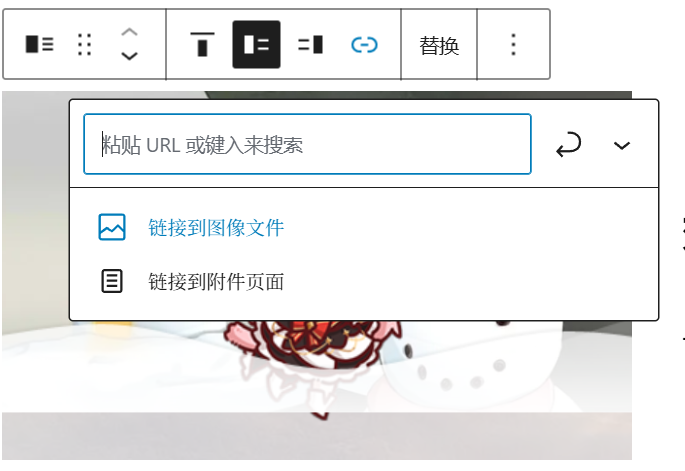
FancyBox
Use !{alt}(url)[thumb_url] or !{alt}(url) syntax.
alt: captionurl: full-size imagethumb_url: thumbnail (optional)
HTML fallback:
<a data-fancybox="gallery" href="big.jpg"><img src="small.jpg"></a>LightGallery
Enable to use LightGallery for your lightbox effect.
⭐ Code Highlighting
Choose your highlighter:
- Highlight.js (default, auto-detect)
- Prism.js (requires language tags; see basic usage)
- Custom (advanced setups)
WARNING
Do not change these options unless instructed by an expert!
Image CDN
Enable CDN rewriting for /wp-content/uploads/.
Format:
https://your.cdn.domain/.
Original/wp-content/uploads/2018/05/img.png→https://your.cdn.domain/2018/05/img.png.
Hidden Categories
Enter comma-separated category IDs to hide from the site.
Gallery Categories
Enter comma-separated category IDs for image galleries.
Version Control String
Enter any string to bust front-end cache and cookies after an update.
Hide Login Link
Enable to hide the login URL and disable the user bar for guests if you use a “hidden login” plugin.
FontAwesome Source
By default loads from Cloudflare. Enter a faster or more reliable URL if needed.
Developer Mode
Disables style minification and preload optimizations for easier debugging.
PHP Error Filtering
Suppress certain PHP warnings/deprecations from rendering on the front end.
Default: show only fatal errors.